Secure the Supermarket Codes
An honest, regularly updated tracker — no fake or expired codes listed as active.
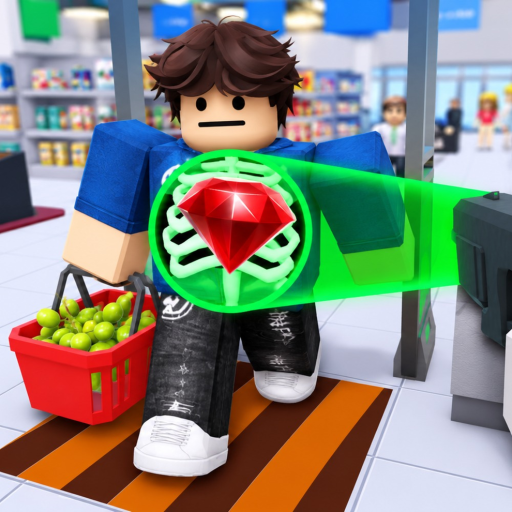
Welcome to the Secure the Supermarket codes hub on this fan wiki. Secure the Supermarket is a Roblox security sim by STOP STEALING!!! where you scan receipts, catch shoplifters, and upgrade gear as difficulty scales. Players often search for free Cash or gear boosts before a long shift — this page tracks what is actually verified, not rumor lists copied from other wikis.
Current status: no verified active codes
As of our latest review, there are no confirmed, working promo codes for Secure the Supermarket. The official Roblox game page description does not mention a code redemption system, and community reports have not produced a code that reliably grants rewards across multiple accounts and sessions.
We deliberately leave the active table empty rather than listing speculative strings. Fake codes waste time, frustrate new players, and sometimes appear on scam sites. When STOP STEALING!!! publishes a real code — via Roblox group post, in-game announcement, or social update — we will add it here with the reward, redemption steps, and expiry notes.
How codes usually work in Roblox security sims
Games in the same genre as Secure the Airport (which inspired Secure the Supermarket) sometimes add limited-time codes for Cash, temporary boosts, or cosmetic items. If Secure the Supermarket follows that pattern, redemption will likely happen through an in-game menu — often a Codes or Settings button on the side or top bar — where you paste text and press Redeem or Enter.
Until that UI is confirmed in a live build, treat any “secret code” from TikTok or Discord as unverified. Always redeem on your main account only after seeing the same code reported by multiple trusted sources on the same day.
Active codes table
| Code | Reward | Status | Notes |
|---|---|---|---|
| — | — | None verified | Check back after game updates |
When the first real code appears, this table will list the exact spelling (codes are usually case-sensitive), what you receive, and whether it is limited-use or time-limited.
Expired / unverified history
We do not recycle old codes from other Roblox games or from Secure the Airport. The following categories are commonly posted online but have not been confirmed for Secure the Supermarket:
- Generic strings such as
RELEASE,UPDATE, orSUPERMARKETwith no official source - Codes shared in comment sections without a matching dev announcement
- “Leaked” codes tied to YouTube videos that do not show successful redemption
If you believe you found a working code, compare the in-game reward message with screenshots from the official experience page before assuming the wiki is out of date.
How to redeem (when codes exist)
When STOP STEALING!!! enables codes, the typical flow on Roblox mobile and desktop will look like this:
- Launch Secure the Supermarket from the official game page.
- Look for a Codes, Gift, or Settings icon in the lobby or pause menu.
- Type the code exactly as published — no extra spaces.
- Confirm redemption and check your Cash balance or inventory for the listed reward.
- If redemption fails, the code may have expired or hit a global redeem cap.
Exact button labels are not confirmed until the feature ships; we will update this section when players document the real menu.
Where to watch for official codes
The best sources for legitimate codes are:
- The official Roblox experience page description and update log
- The STOP STEALING!!! developer profile and any linked Roblox group
- In-game news boards or join messages after patches
This wiki is fan-made and not operated by STOP STEALING!!! Bookmark the Official Links hub for vetted URLs. For gameplay help without codes, see Getting Started and Cash & Upgrades.
Why we run an honest tracker
Many code pages list dozens of strings to capture search traffic. That hurts players who expect free Cash on day one. Secure the Supermarket progression is built around shift earnings, receipt accuracy, and gear upgrades — not promo spam. An empty active list is correct until the developers say otherwise.
We review this page after major updates listed on the Updates Hub. If you play on mobile or console, redemption steps should be the same once the feature exists; report UI differences in community forums rather than trusting third-party APK mod sites.
Related guides
New players should prioritize learning Receipt Scanning and Catching Shoplifters over hunting codes. Codes, when they arrive, will likely bonus Cash rather than replace core loop skills. For equipment priorities without spending Robux, read the Gear Ranking tier list next.
Frequently Asked Questions
Quick answers to the most common questions.
Are there any working Secure the Supermarket codes right now?
No verified active codes exist at this time. We keep the active table empty until STOP STEALING!!! publishes a code that multiple players confirm in-game.
Where do I enter codes in Secure the Supermarket?
A dedicated codes menu is not confirmed yet. When added, it will likely appear in the lobby or settings; we will document exact steps after the first official code drops.
Why do other sites list codes that do not work?
Scraped and fake lists are common in Roblox SEO. Those strings may come from other games or be outright guesses. Only trust codes tied to an official dev announcement.
Will codes give Cash or gear?
Unknown until the first code ships. Similar security sims often grant Cash or temporary boosts. We will label rewards precisely when verified.
How often is this page updated?
We check after game updates and when the community reports a new official code. See the Updates hub for patch notes that might introduce redemption.